Configure alternative login identifiers
You can now configure alternative login identifiers so that the users of your WSO2 Identity Platform organization have the capability to use these identifiers to log in.
Note
The primary login identifier is the attribute you configure as your username. Learn more about configuring username validation.
WSO2 Identity Platform allows admins to assign the following attributes as alternative login identifiers of the organization:
EmailMobile
To configure alternative login identifiers for your organization:
-
On the WSO2 Identity Platform Console, go to Login & Registration.
-
Under Login Identifier, click on Alternative Login Identifier.
-
Select
Emailand/orMobileas alternative login identifiers.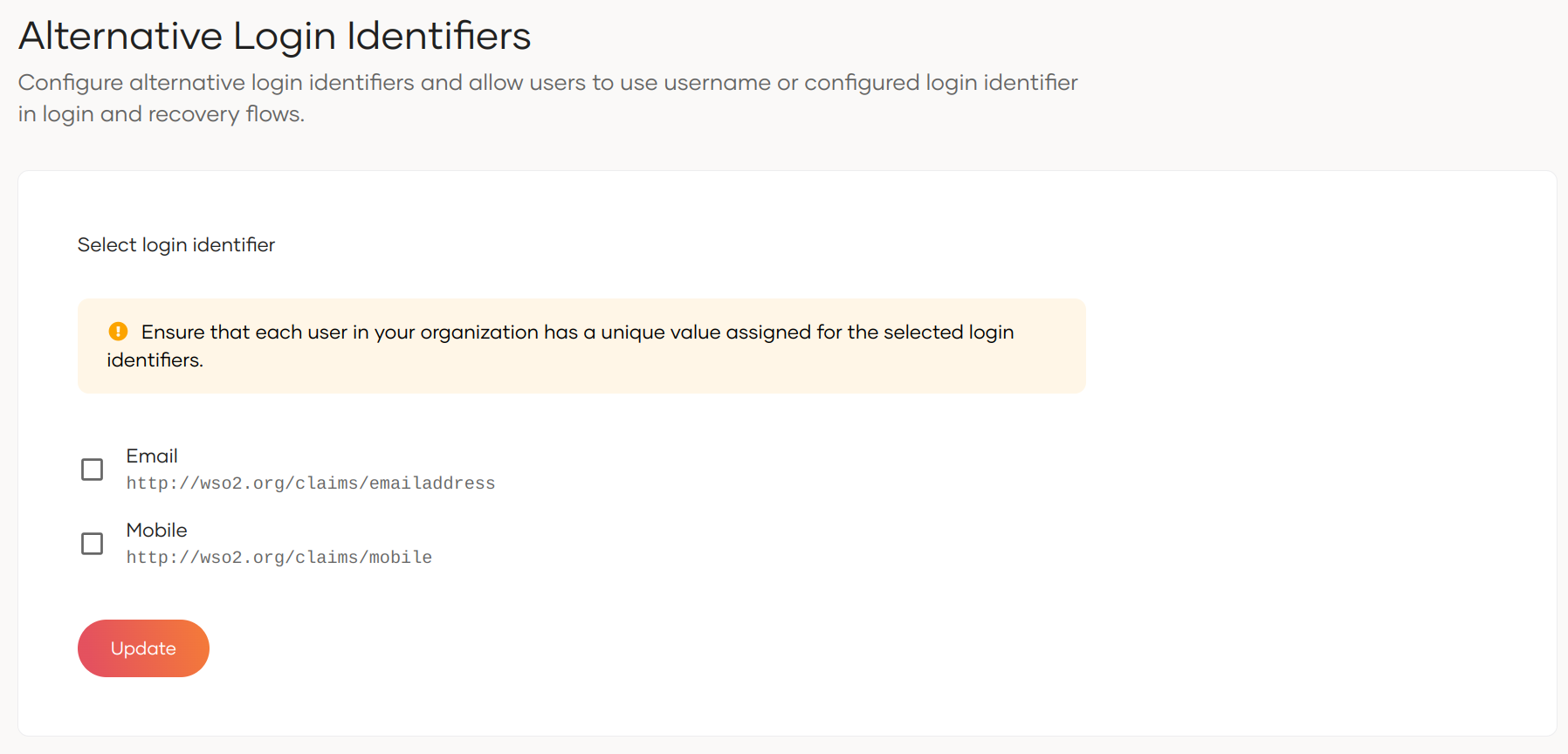
Note
-
Ensure that every user within your organization has a unique value assigned to the chosen login identifiers. For new users, WSO2 Identity Platform will ensure it's uniqueness.
-
If you have chosen
Emailas the username type, it automatically becomes the primary login identifier. Therefore, configuring it as an alternative login identifier will be disabled.
-
-
Click Update to save the changes.
Note
A consent prompt will appear if uniqueness validation is not already configured for the selected attribute(s). Without confirmation, the alternative login identifier configuration will not be applied.
Upon successful configuration, the login and recovery user interfaces will update according to the defined login identifier attributes.